


Lay out the worlds
ReadingBuild the four worlds
Add three more worlds
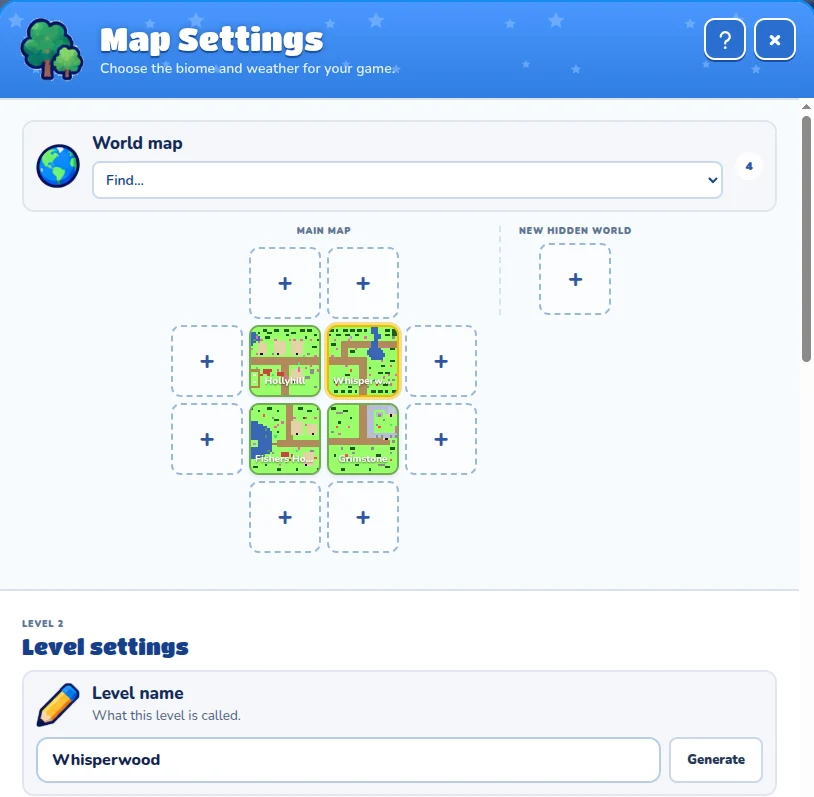
Press Map Settings  under the map. Your first world is already there, in the middle of the World map grid.
Around it are squares with a +. Press one to add a new world on that side. Add three more worlds, so you have four in a square.
Name each world
Click a world in the grid to pick it. It gets a yellow border, and Level settings underneath are for that world. Set two things for each one:
| Setting | What to choose |
|---|---|
| Level name | Hollyhill, Whisperwood, Fishers Hollow or Grimstone. |
| Biome | Village for Hollyhill and Fishers Hollow, Forest and Castle for the others. |
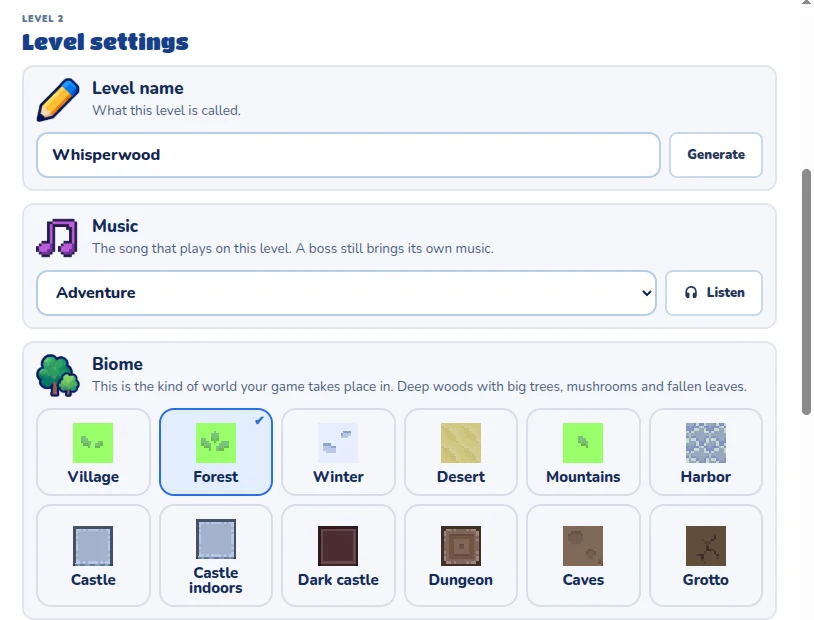
The level name matters. It's what the world is called on the map, and scripts can use it as an ID too.
The hero walks off one edge of a world and comes in on the next one, so the grid is the shape of your adventure.
Opening a world to build it
The builder shows one world at a time. To build a different world, press Map Settings , click the world in the grid, then press ×  at the top right of Map Settings.
The map now shows that world, and the brushes are the ones for its biome.
Your game
Here is your quest game. Press Expand, at the top right, to give it more room.