


Make your Screen move
ReadingOptionalGoing the extra mile
Frames and layers
Each thing is a layer in the Layers timeline. You set where a thing is in a frame, and the Screen glides it to the next one.
| Frame | Time | What to set |
|---|---|---|
| 1 | 1.5 seconds | Drag the title above the top of the stage, out of sight. |
| 2 | 2.5 seconds | Drag the title down into place, and give it Sparkles. Put the hero off the left edge. |
| 3 | 0.75 seconds | Drag the hero to the middle, set Picture to Looking at the camera, and give them Sparkles too. Hide the subtitle with See-through. |
| 4 | 2 seconds | Make the subtitle solid again, so it fades in. |
| 5 | 1 second | Change nothing. This holds everything still. |
| 6 | 0.5 seconds | Make everything see-through, so it all fades away. |
A bouncy landing
To make the title bounce when it lands, press the caret beside its layer and set Ease out to Bouncy.
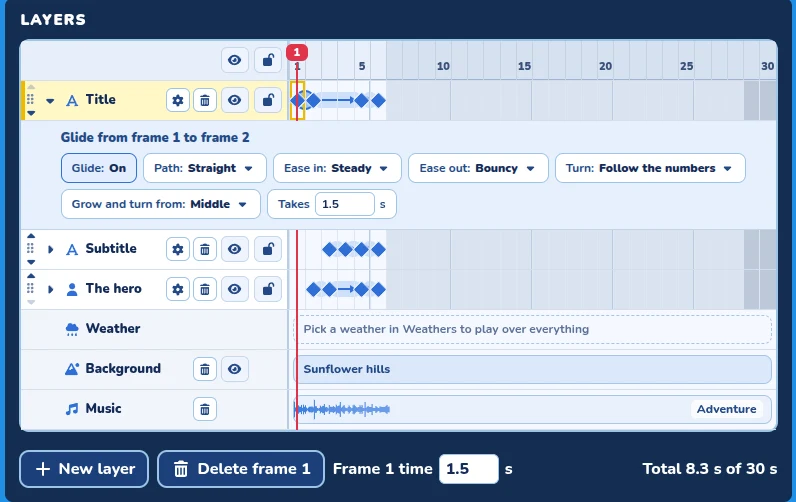
Press Play under the stage to watch it, and change anything you like.
Save it and use it
Games use a Screen as it was the last time you pressed Save, so press Save at the top of the editor.
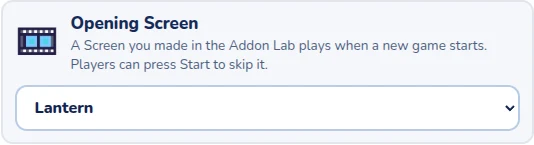
Then go back to your game, open Game Settings  , and pick your Screen under Opening Screen.
Now press Start new game. Your title plays first, then the story scroll opens. Players can press Start or Enter to skip it.