


Build Grimstone Castle
ReadingBuild the four worlds
Open Grimstone: press Map Settings  under the map, click Grimstone in the grid, and press ×
 . Grimstone has the Castle biome, so the Objects drawer has the Castle brush. It puts down whole castle sections.
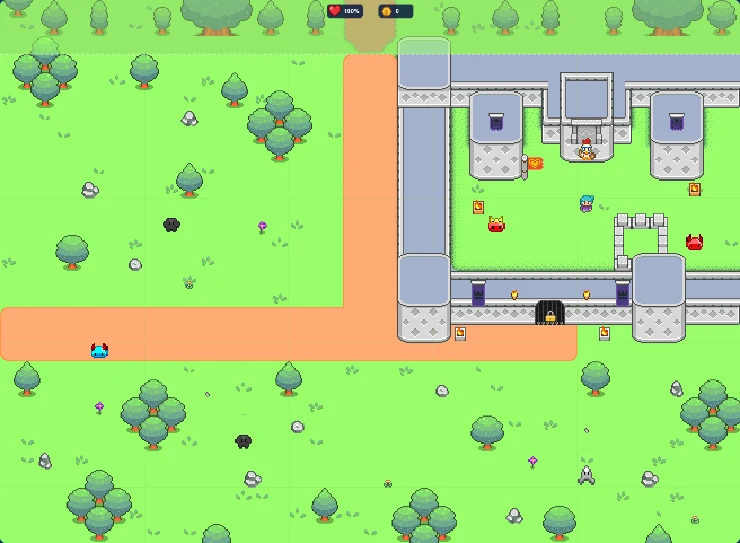
Build the walls
Pick Castle. The Brush drawer asks Which castle?:
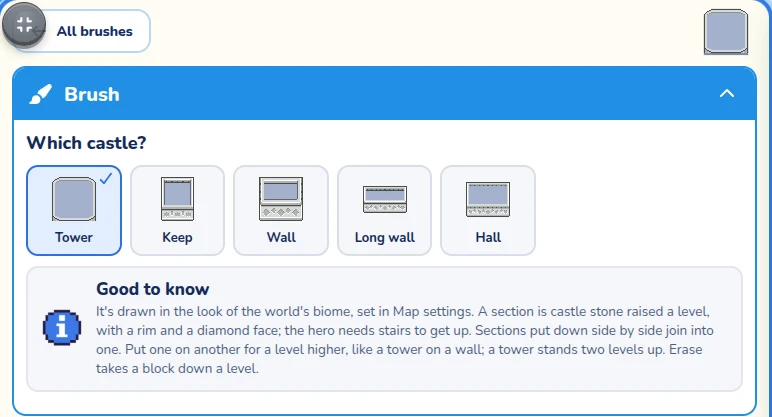
Pick Tower and click to put one at each corner. Then pick Long wall and join the towers, so they make a courtyard. Put the Keep at the back. Sections side by side join up by themselves.
Hang banners and torches on the walls with the Castle decoration brush, and put braziers in the courtyard.
The two gates
The castle needs a way in. Pick Castle gate and choose Iron gate. Put it on the ground right in front of the front wall, not on top of the wall: the hero has to be able to stand in front of it.
Then put a Stone gate with a crown in front of the keep.
Press Select  , click the iron gate, and set it up like this:
| Setting | What to choose |
|---|---|
| Door id | Castle gate |
| Opens with | No key yet (it can't be opened) |
| The lock's sign | A dark spell holds this gate shut. Only the Sun Lantern can break it. |
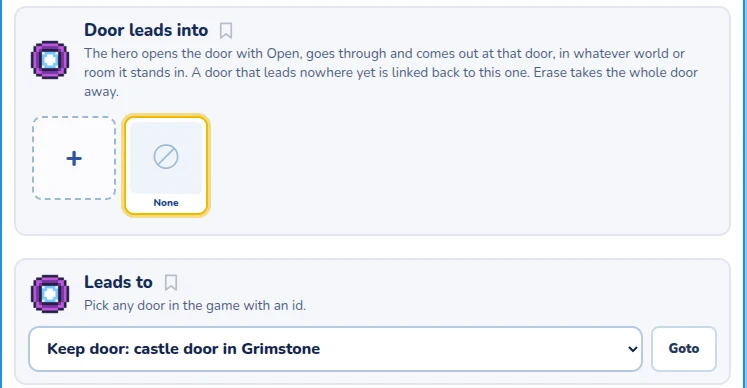
| Leads to | The keep's gate. Give that one the Door id Keep door first. |
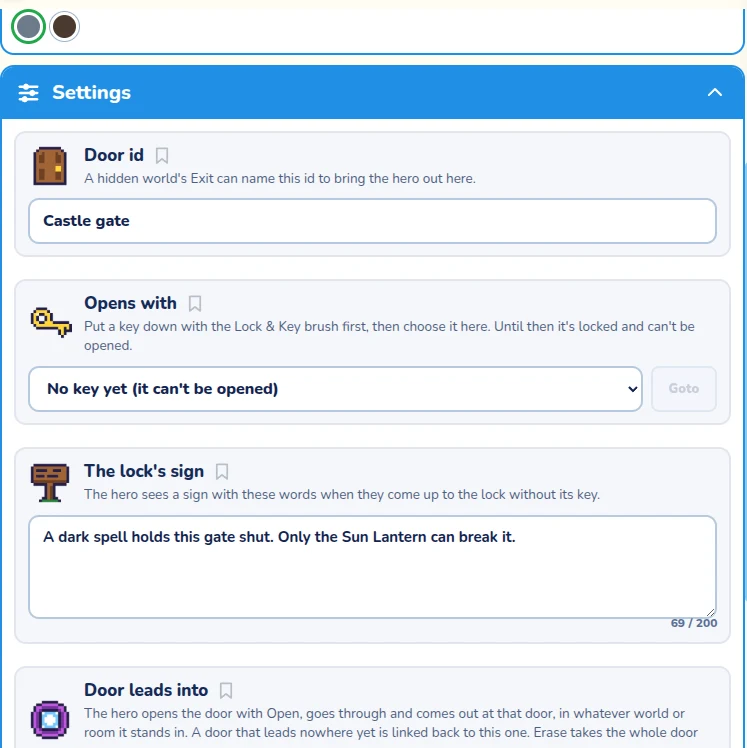
No key yet means no key in the game can open the gate. Only a script can.
Leads to means the hero goes through the iron gate and comes out at the keep, inside the courtyard.
Milo
Open the Inventory drawer and pick Friend to rescue. It only shows in rescue games. Click it into the courtyard, then type Milo in his ID box.
Give him something to say, like "You came! Quick, get me out before Baron Grumble wakes up!"
Add some tough guards around him with Enemy, like a crowned slime and a horned slime.
Your game
Here is your quest game. Press Expand, at the top right, to give it more room.