


Levels and Map Settings
ReadingSettings for your game and levels
A game can have lots of levels. Each level has its own map and its own settings, like its biome and its music. They are in Map Settings.
Open Map Settings
Press the Map button  (the folded map) in the row under the map.
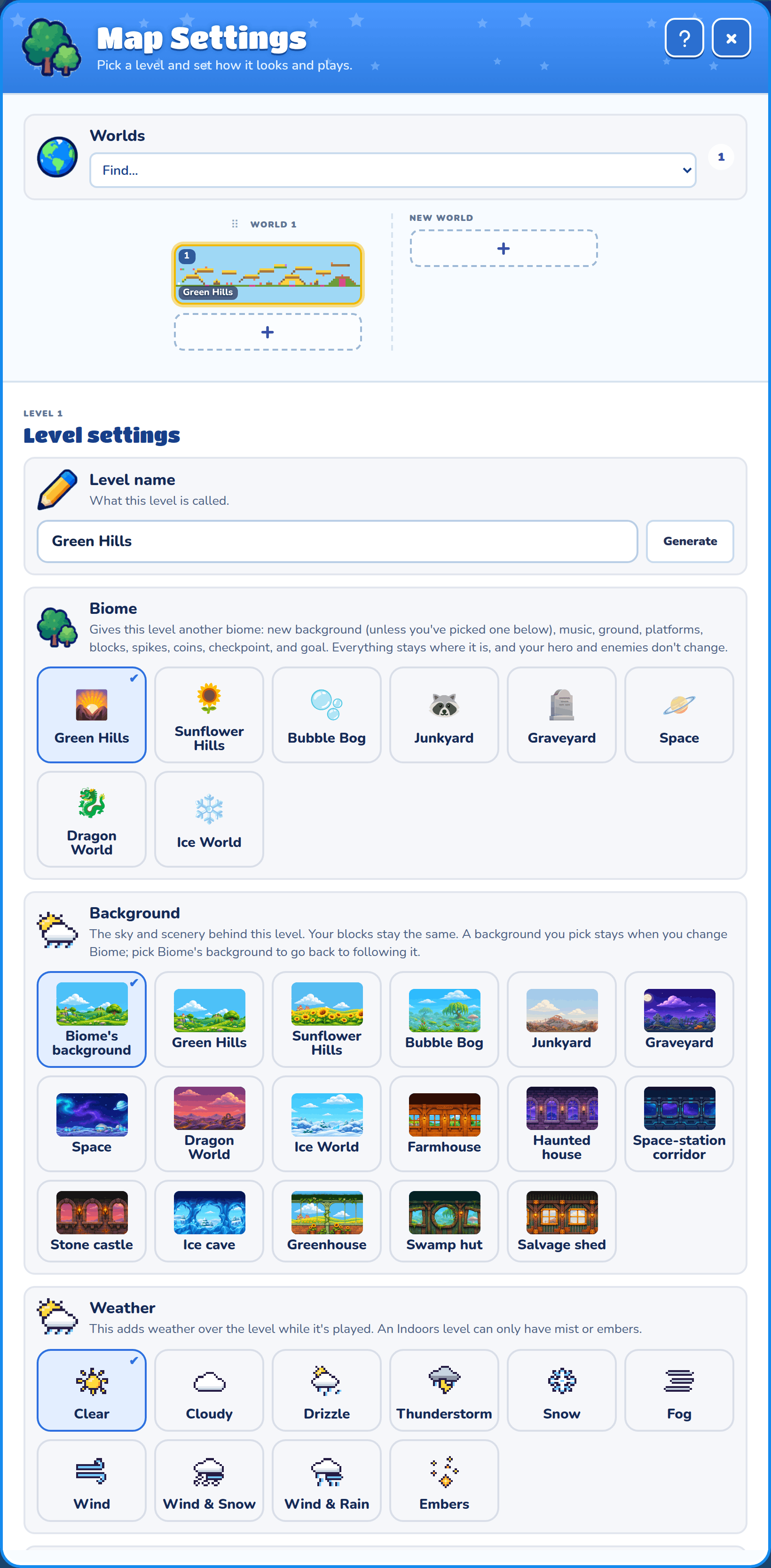
Worlds and levels
In a Platformer, your levels sit in worlds. A world is a column of levels. The levels play from top to bottom: when the hero touches the Goal, the next level starts.
| To do this | Do this |
|---|---|
| Build on another level | Click it |
| Add a level | Press the + under a world. Answer Cooper's quick questions, then press Create this level. |
| Change the order | Drag a level up or down |
A level's settings
Click a level, and its settings show underneath.
| Setting | What it does |
|---|---|
Level name  | What the level is called. Generate  makes up a new name. |
| Biome | The level's look and music, like Green Hills, Space or Ice World. Everything you placed stays where it is. |
| Background | The sky and scenery behind the level |
| Weather | Rain, snow, fog or wind. It only shows when you press Play. |
Music  | The song this level plays |
Columns  and Rows  | How many blocks wide and tall the level is |
Try it
- Press the Map button .
- Press the + under your world to add a second level. Answer the questions and press Create this level.
- Click your new level. Change its Biome to a different one.
- Set its Weather to Snow.
- Close Map Settings. Build a short run on your new level, with a Goal at the end.
- Press Play
 and watch the snow fall.
Now go back to level 1, press Play and reach its Goal. Your game carries on into level 2.