

Play help
Racing
Pick a car, race the computer racers round every track, and climb onto the podium.
In Racing you drive round each track against computer racers. For the parts every game shares, see Playing a game.
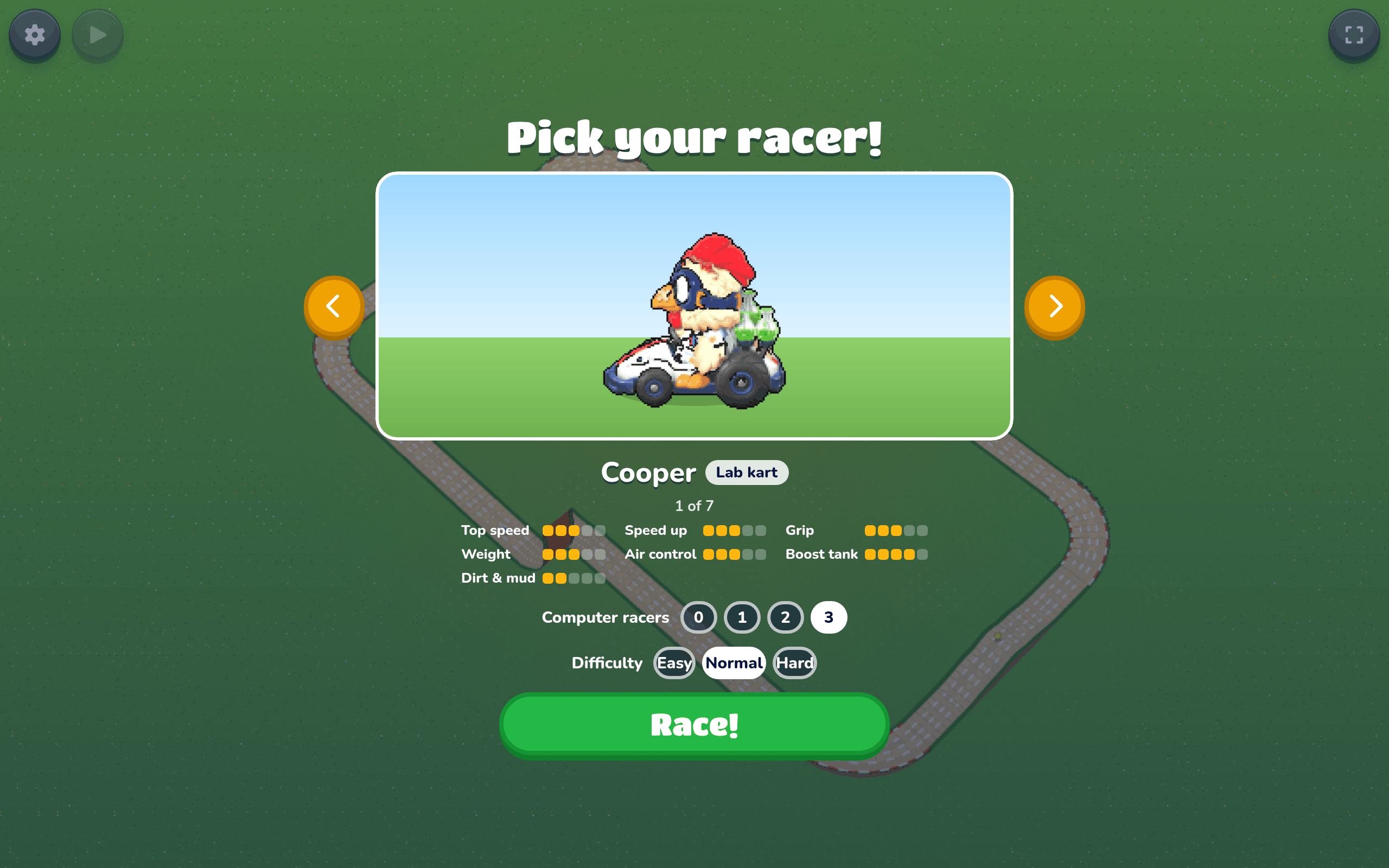
Pick your racer
Before the first race, flip through the cars with the arrows and look at each one's stats. Choose how many Computer racers to race against, from 0 to 3, and how hard they are with Difficulty. Then press Race!. Your own race car addons are in the line-up too.
Your car carries on to the next track, so you only pick once. To swap cars, open the gear and press Change car; the race starts again with the new car.
Racing settings
Racing games add a Racing group to Game settings.
Change car
Takes you back to the car picker to choose another car. The race starts again with the new car.
Fixed camera
On, the camera stays straight behind your car and level with the ground. Off, it eases after your car and tilts with the track. It starts on.
Racing extras
Adds lap and sector times, a ghost of your best lap, and tyre grip feedback. It starts off; see On screen for what each one shows.
Quality
Lower quality draws less detail so the race runs smoothly on a slower device. Auto picks the one that fits your device.
Controls
- Gas: ↑ or W. Brake: ↓ or S.
- Steer: ← and →, or A and D. Tap for a gentle correction; hold to turn further.
- Drift: hold Z while steering into a bend. Xbox X (left blue button) or the SNES pad’s X (top blue button) does the same; B still boosts.
- Hop: Space. Boost: Shift or X. Throw an egg: E or C.
- Throw an egg backwards: hold the brake while you throw. On an Xbox controller, hold LT and press Y.
- Xbox: the left stick steers proportionally. Squeeze RT for gas and LT to brake; lighter pressure gives less acceleration or braking. RB/LB and the d-pad also work, including L/R and the d-pad on a SNES-style pad. Start pauses. Keyboard & gamepad in Game settings shows the other buttons.
- Phone: a steering stick (up for gas, down to brake, sideways to change lanes), and Drift, Boost, Throw egg and Hop.
The race
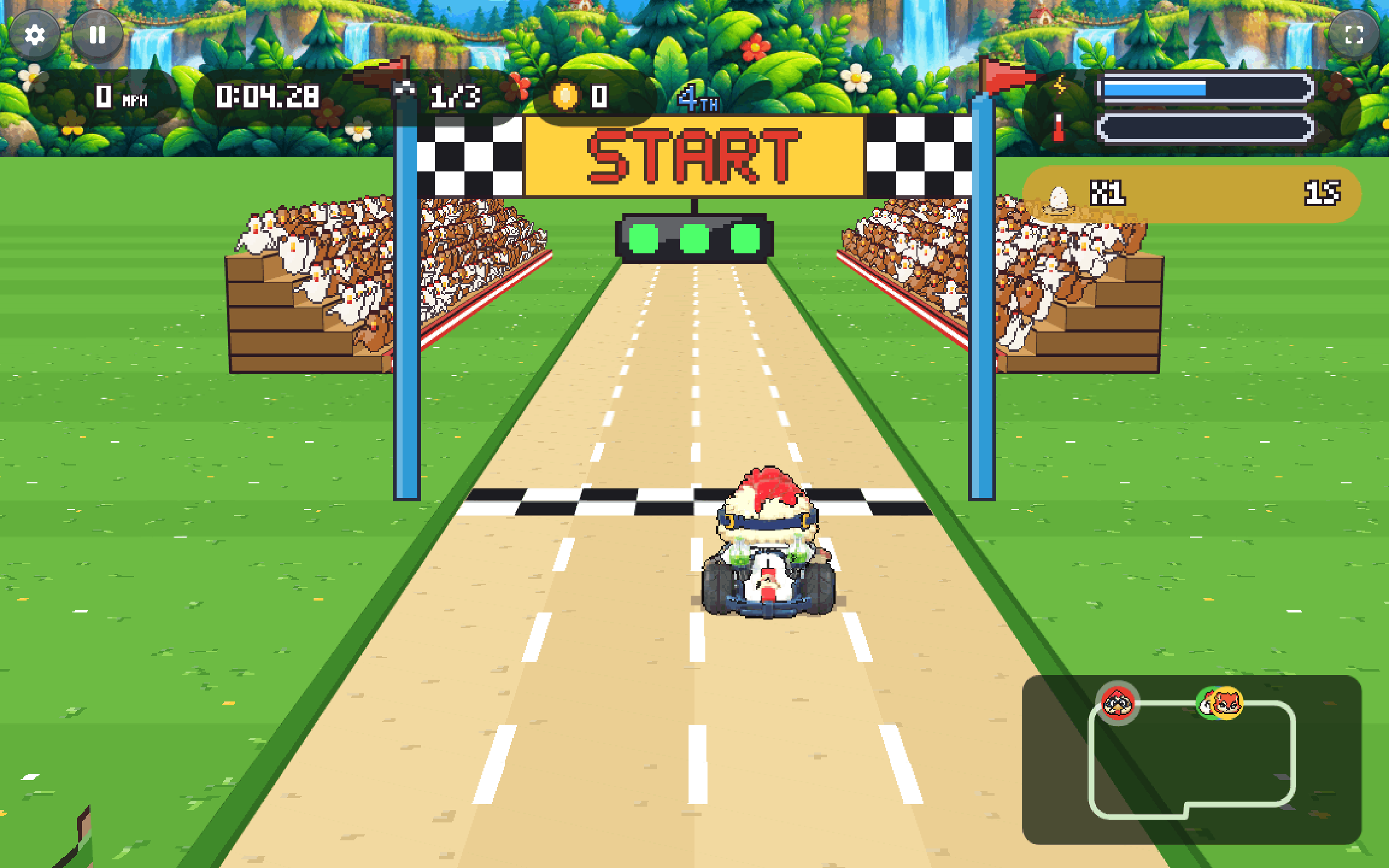
After a fly-over of the track, it's 3, 2, 1, "GO!". Race round all the laps. "WRONG WAY!" means you've turned round. Coins, splatted enemies and bosses take time off your race.
Mystery eggs have a blue question mark. Drive into one to get a speed boost, boost fuel, invincibility, or another egg to throw. Your place and distance behind the leader affect the odds: racers falling behind are more likely to get speed or invincibility, while leaders get fuel or throwing eggs. Racing alone gives each of the four powers an equal chance. A box at the bottom cycles through the four power icons and slows to a stop. The chosen power takes effect when its icon stops; the winning icon stays visible briefly. Collecting another mystery egg queues another spin.
Battles
Some racing games are battles instead of races. Laps don't count. Throw eggs at the other cars, ahead of you or behind you, and dodge theirs.
Each car has a row of hearts above it. An egg that hits a car takes one heart, and the car flashes for a moment while no egg can hurt it. A car with no hearts left is out of the battle. The clock at the top shows how long is left.
Computer racers fight too. They hunt the nearest car ahead, move into its lane, and throw eggs out the back at cars on their tail.
The last car still in wins. When time runs out, the car with the most hearts wins. If you're knocked out, or time runs out with another car ahead of you, press Try again to fight that battle again. Win to move on to the next track.
Playing with friends, a racer who is knocked out watches the cars still in. Press LB or RB, the d-pad, or ← and → to switch between them.
On screen
Your speed, your time, the lap, your coins and your place. The boost bar fills as you go; boost too long and it overheats ("STALLED"). Your eggs and a map of the track are there too.
The driving clock shows actual time since GO, before any coin or splat bonuses. Below it, LAP, LAST, and BEST LAP show your progress. Each lap has three equal-distance sectors: green minus seconds mean you gained time against that sector of your best lap; orange plus seconds mean you lost time.
Complete a lap to save a personal best on this device. A translucent car with a blue ring replays that lap on your next lap or attempt. It cannot touch cars or pick up items. Records are separate for each track, car setup, and driving settings. A lap with a crash or respawn does not replace a personal best, and a test drive started partway round must cross the line before recording a full lap.
With Racing extras on, skid marks, tyre smoke, and stronger controller vibration build as the car starts sliding. Ease off or brake before the bend to recover grip.
Racing extras starts off. Switch it on in the in-game menu for lap and sector comparisons, the personal ghost, the extra driving-time column, skid effects, and grip vibration. The choice is saved on this device and applies to local and online races. Turning it off keeps saved best laps.
Gas pressure drives a smooth engine buzz even with Racing extras off: a light squeeze gives gentle feedback, and more gas and speed build the buzz. Releasing the gas on smooth track stops the engine vibration. Rough ground, rumble strips, and impacts give separate, heavier bumps. Speed alone does not make the controller rumble.
Drifting
Brake before a tight bend, then hold Drift while steering into it at speed. The car turns sideways into the slide, leaving tyre smoke and marks behind its swinging tail. Adjust your steering to keep the slide on the road. Blue sparks and a blue meter show the charge; “RELEASE FOR BOOST” means it is ready. Ease the steering and release Drift as you exit: the tyres catch, the car gets an immediate forward kick, and a short boost carries it out of the bend.
A successful release sends a broad burst of bright speed streaks flying off the back of your car. Drift smoke, marks, sparks, and release streaks appear independently of Racing extras. The camera stays steady; devices set to reduce motion show fewer, steadier streaks.
Sliding costs speed, so clean grip driving is often quicker on gentle bends. Straights and slow slides do not earn charge. Hitting a car or edge, leaving the road, hopping, spinning, braking hard, or using normal boost loses the drift. Holding too long loses it too: release while the meter is ready, before the exit window closes.
Results
After each race the times come up. Press Skip to bring the computer racers home quickly. After the last track, "The winners!" podium shows the top places, then High scores.
Results show Driving time and the time After bonuses separately. Coins and splats still determine the adjusted result; lap and sector comparisons use actual driving time.