

Lab help
Account
For grown-ups. Turn a Lab into an account, sign in with email, and look after the account.
An account keeps a Lab safe with an email and password, instead of a Lab Key. It also lets you turn on parent mode for a family Lab.
Create an account
The Create an account page makes your account. Open it from Create one in the Lab Key box at the bottom of your Lab, or from Create an account on the sign-in page. Enter an email and a password of at least 8 characters, then press Create an account. If this device already has a Lab, it turns into your account, and its games, media and Lab Key stay where they are.
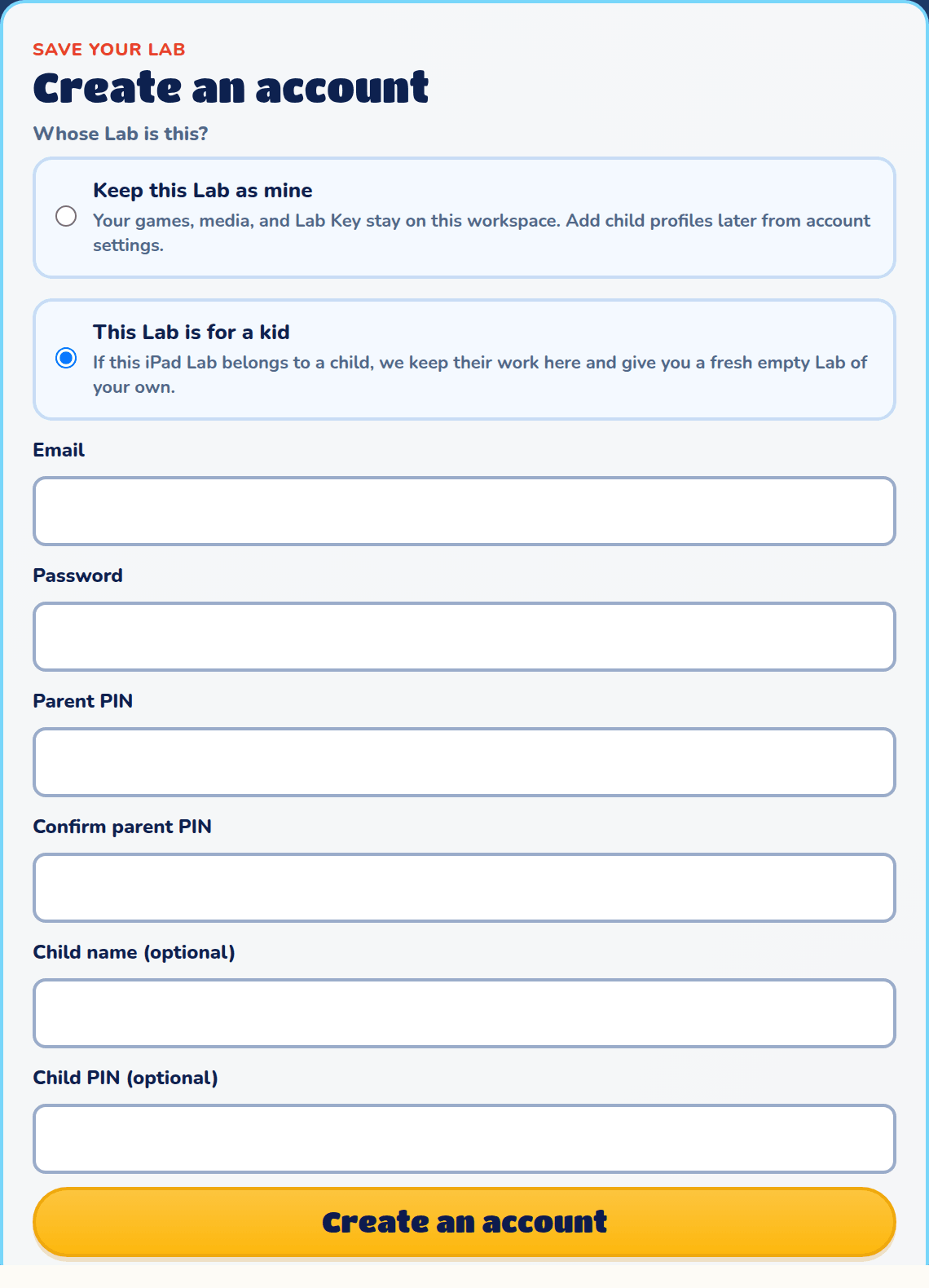
Whose Lab is this?
If this device already has a Lab, choose who it belongs to before you create the account:
- Keep this Lab as mine: the Lab becomes your account. You can add child profiles later.
- This Lab is for a kid: if your child started this Lab, their work stays in it as a child profile, and you get a fresh, empty Lab of your own. Choose a 4-digit parent PIN, and optionally give the child a name and a child PIN.
Verify your email
After you create the account, Splat Labs emails you a link. Tap it to verify your address. If you chose This Lab is for a kid, the family is set up once you verify. You also need a verified email to turn on parent mode. On the Account page, Resend verification email sends the link again, and I verified my email checks again after you've tapped it.
Sign in
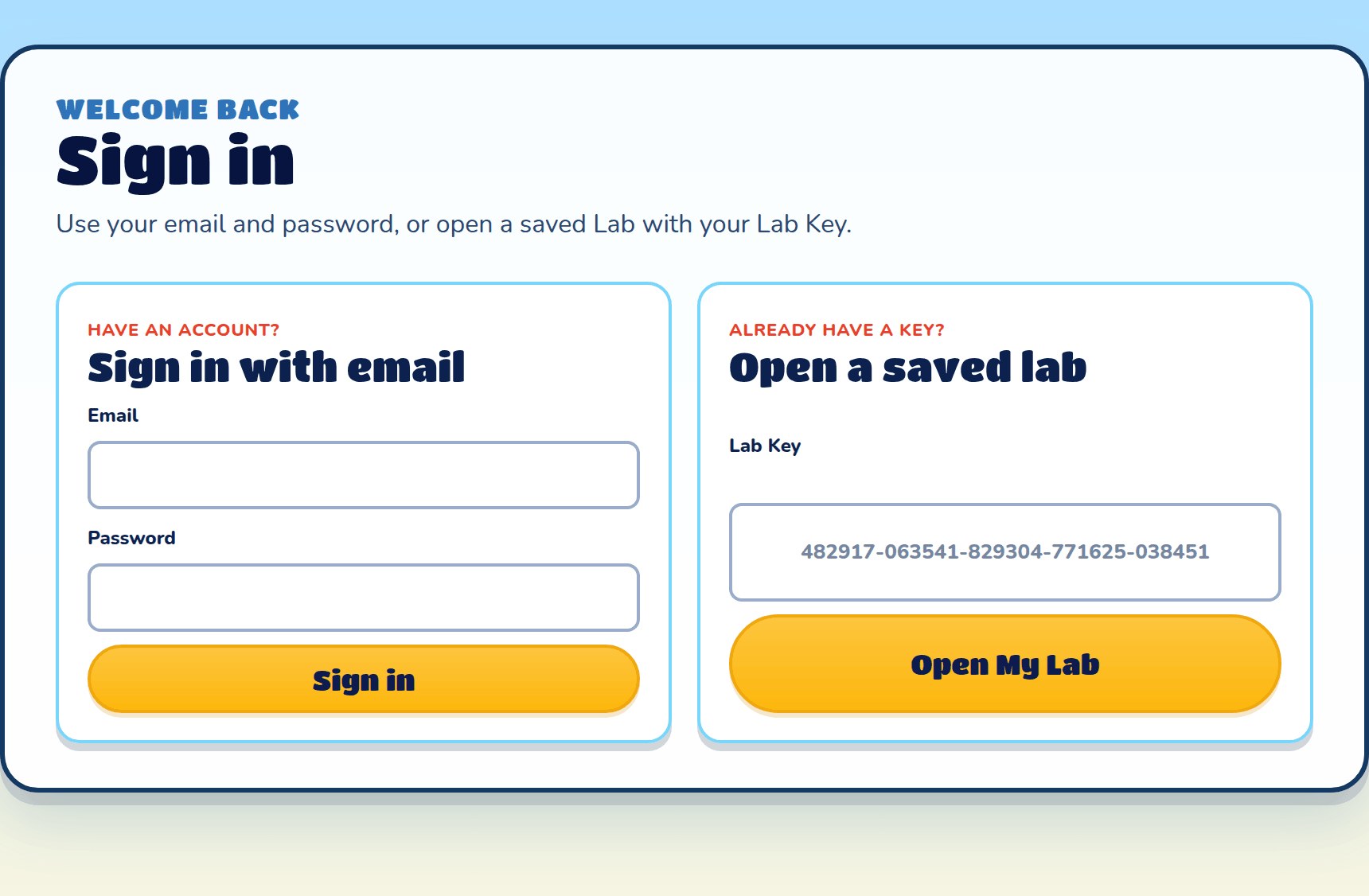
Sign in at the top of the site opens the sign-in page. Use Sign in with email with your email and password, or Open a saved lab with a Lab Key. No account yet? Create an account under the sign-in form opens the Create an account page.
If signing in doesn't stick
If you see "Your browser didn't keep you signed in", your browser is blocking cookies for this site. Allow cookies for Splat Labs, then try again.
The Account page
Once you're signed in, Account at the top of the site opens "Your account". Your games and Lab Key stay where they are whatever you change here. Back to My Lab takes you back.
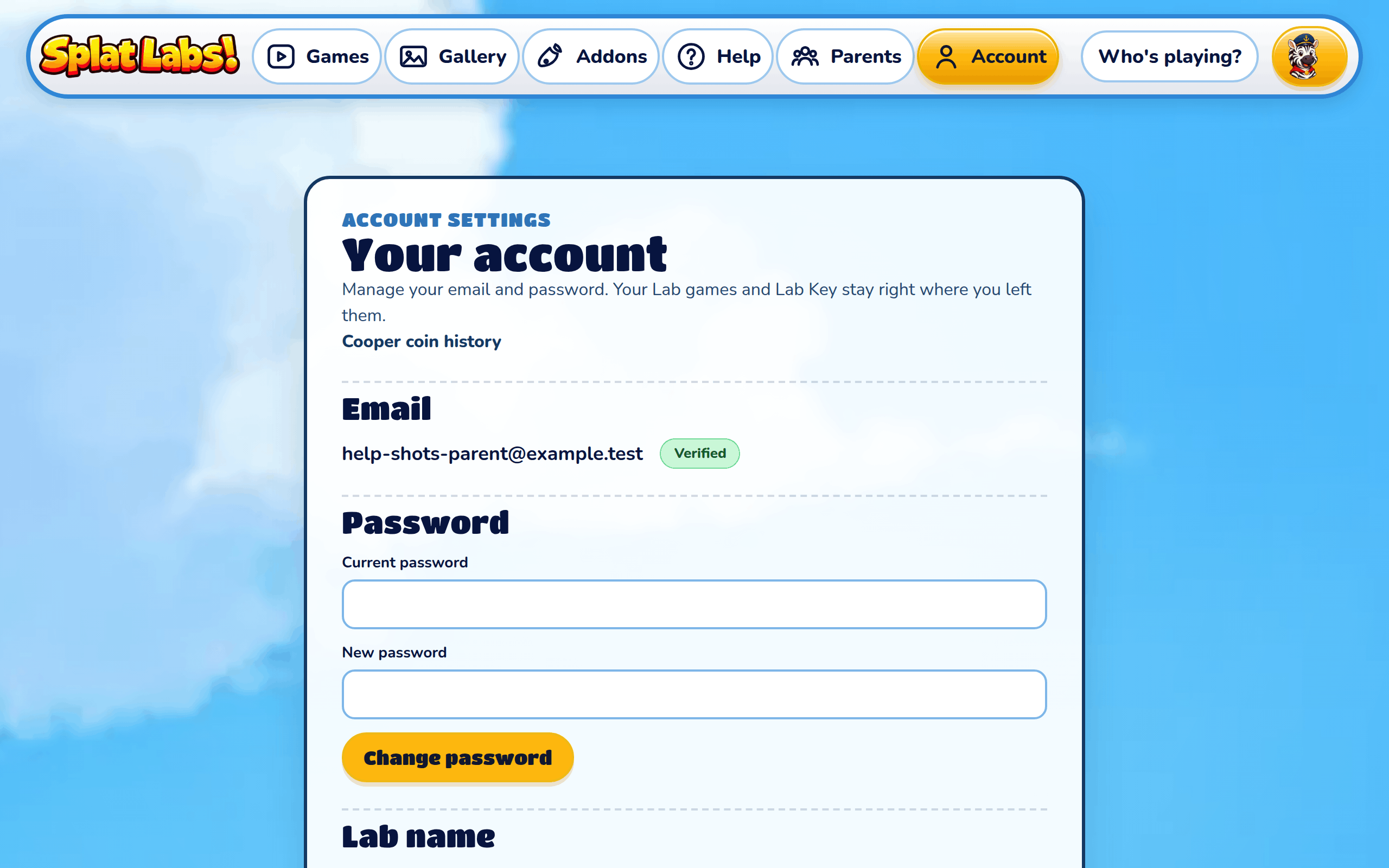
Shows your email, and whether it's Verified or Needs verification.
Password
Enter your Current password and a New password, then press Change password.
Lab name
Shows your Lab name and picture. Press Choose another name to pick a new one from the list. Your public games and high scores show the new name.
Cooper coin history
Each message to Cooper in the builder costs Cooper coins. Cooper coin history lists every time coins were added to or spent from the account. Child profiles can't see it.
Sign out
Sign out signs this device out of Splat Labs. Sign in again with your email and password.