

Scripting help
Object scripts
Give a Platformer's presses, saws, belts, platforms, springs, flyers, checkpoints, goals, doors, locks and keys a script of their own.
In a Platformer, the things you place can have a script too: a press that only slams when the hero is under it, a belt that keeps turning around, a platform that waits for a rider, or a goal that spins before the level is won.
An object's script adds to what it always does. A press with a script still presses the way its settings say, until its script tells it otherwise. Its panel's settings are where it starts.
Giving an object a script
You can write an object's script yourself, or start from a brush's built-in one.
Opening its script
Pick the object on the map. Its panel has an ID and script drawer with an Object script button. Press it, and the Object script window opens. Springs, checkpoints and goals have no settings, but picking one still opens a panel with this button.
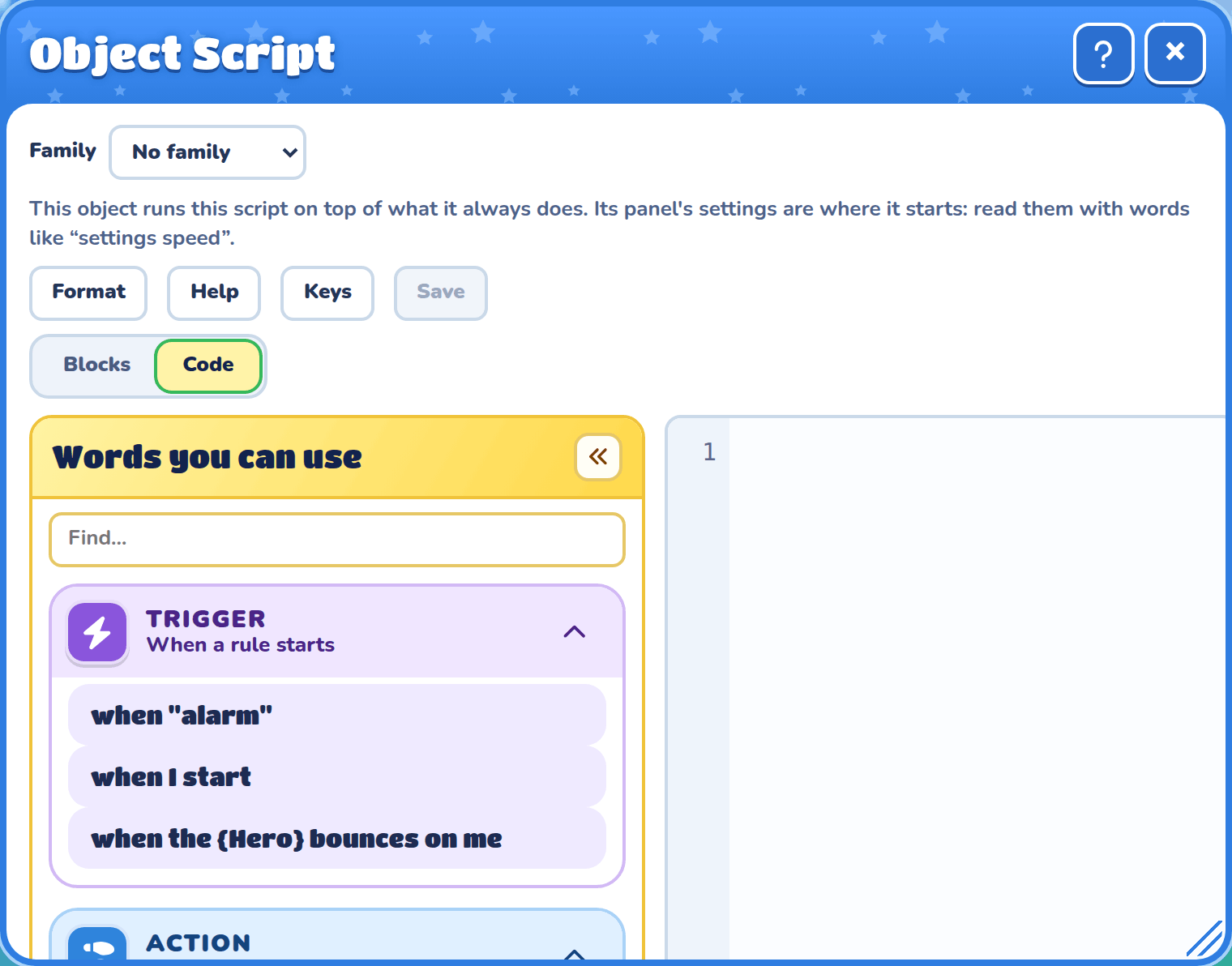
Words you can use shows the words this kind of object has, like a spring's when the {Hero} bounces on me.
While you build, an object with a script of its own has a scroll on it.
Built-in sub-brushes
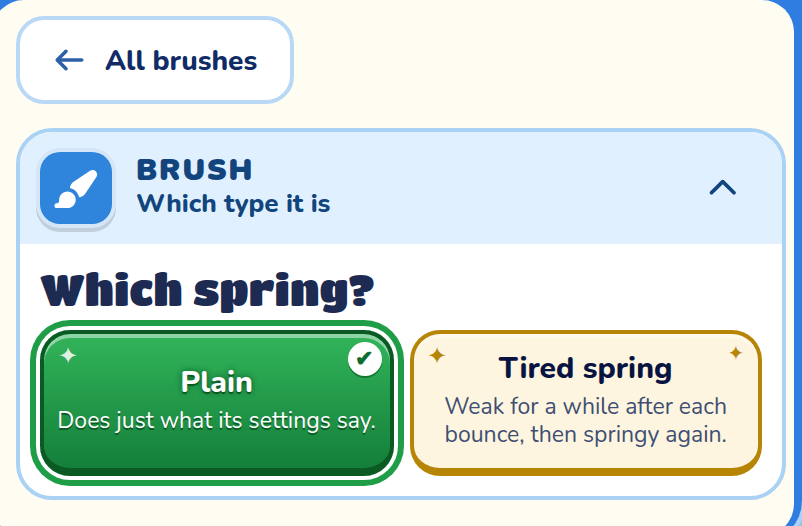
Some brushes come with ready-made scripts. Pick the brush, and its panel asks which kind you want, like Which press? The plain one does just what its settings say.
| Brush | Sub-brushes |
|---|---|
| Hydraulic press | Stomper waits until the hero is under it, then slams. Double tap presses twice, then rests. |
| Circular saw | Burst rushes for a while, then slows right down. |
| Conveyor belt | Flipper turns around every few seconds. |
| Moving platform | Waits for rider only moves while the hero stands on it. It is in the Platform brush's row. |
| Spring | Tired spring is weak for a while after each bounce. |
| Flying | Follower hovers over the hero wherever they go. Diver swoops at the hero when they pass under it. |
| Checkpoint | Spinner grows and spins. Rainbow runs through every colour. |
| Goal | Victory spin grows and spins. Fade out fades away. |
| Key | Timed key fades away unless the hero grabs it in time. |
| Door | One-way door disappears once the hero has gone through it. |
| Lock block | Relock locks itself again a few seconds after it opens. |
A sub-brush's own script shows no scroll. Open its script to read how it works. Saving it gives that object its own copy, which you can change.
Groups and your own brushes
Pick some objects and type an ID in their panel, like Crusher. They become a group with one script, shown with a dashed outline in its own colour while you build. Doors and keys go by their own names, so they're never in groups.
A group with an ID and a script becomes a brush of your own, at the end of the Objects drawer. It places objects like the first one in the group, with its settings.
| What you do | What happens |
|---|---|
| Place one beside one of the brush's | It joins that group. |
| Hold Shift as you place | It joins the group you placed into last, even far away. |
| Place one anywhere else | A new group, like Crusher 2, with the same script. |
Change the script on any of them, and every group placed with the brush changes. Make this one different gives one group its own copy instead.
Families of objects
An object family is one script that many objects share, like every saw that speeds up when the hero is near. To write one, open Game settings and press Object families in the Scripts card. To put an object in a family, pick the family in the Family list at the top of its Object script window. Every object in a family runs its script as well as its own, and the object's own rules win.
Reading the panel's settings
Write settings and a setting's name to read what its panel says, like settings speed. The names are the panel's card titles. Platformer enemies can read theirs too. A script never changes these, so my speed is settings speed puts a changed speed back. my speed on its own reads the speed now, in blocks a second, whether the panel or the script set it.
| Object | Settings it can read |
|---|---|
| Hydraulic press | press direction, head width, press distance, speed, rest between presses, initial delay |
| Conveyor belt | feed direction, belt length, belt speed |
| Circular saw | stand height, up speed, down speed, rest at top, rest at bottom |
| Spring | launch speed |
| Seesaw platform | max tilt, speed |
| Floating platform | sinks when stood on |
| Moving platform | starting direction, travel, goes left, goes right (or goes up, goes down), speed |
| Platformer enemy | speed, walk left, walk right, notice left, notice right |
What each object can do
Every object can change how it looks, with words like my opacity is 50, my hue is 90, my size is 150, my effect is frost, flash for 1 second and I am spinning. It can hide itself with hide me, hear triggers, and wait. These are its own words:
| Object | Steps | When |
|---|---|---|
| Hydraulic press | press, stop, go, my speed is …, my rest between presses is … | when I get hit |
| Circular saw | cut, stop, go, my speed is …, my rest is … | when I get hit |
| Conveyor belt | stop, go, turn around, my speed is … | |
| Moving platform | stop, go, turn around, my speed is … | when the {Hero} steps on me, steps off me |
| Floating platform | sink, rise, my sinks when stood on is on (or off) | when the {Hero} steps on me, steps off me |
| Seesaw platform | my angle is 20 over 1 second tilts the seesaw itself, and holds it there | |
| Spring | stop, go, my launch speed is … | when the {Hero} bounces on me |
| Flyer | stop, go, fly by, follow the {Hero}, fly home, my speed is …, I am harmless, I am harmful | when I touch the {Hero}, when I get hit |
| Checkpoint, goal | when the {Hero} reaches me | |
| Door | my leads to is {Door 3}, my key is {Key 2}, lock me, unlock me | when the {Hero} goes through me, when I am opened |
| Lock block | my key is {Key 2}, lock me, unlock me | when I am opened |
| Key | when the {Hero} picks me up | |
| Chandelier | lower 2 blocks, raise 1 block, I start rocking, I stop rocking, I am harmful, I am harmless |
After stop, a press's press (or a saw's cut) does just one and waits. Without stop, it starts the presses again from the beginning.
Every object can say I am solid or I am not solid. A platform, belt, spring, press or lock block that isn't solid lets everyone through it, though it can still be seen and still does what it does. A saw, flyer, checkpoint, goal, door, key or chandelier that is solid can be stood on, and a hero on one that moves rides along.
A chandelier is scenery until its script says otherwise. lower and raise let its chain out and pull it in, 2 blocks a second unless you add a time like over 1 second. I start rocking 30 degrees swings it that far each way, and a longer chain swings more slowly. I am harmful makes touching it hurt.
A flyer, press or saw hears when I get hit when the hero's attack reaches it, once a swing. Nothing else happens to it, so its script decides: hide me, fly home, stop, or anything else.
Examples
A press that slams twice as fast once the hero has picked up the Gold key.
when "gold"
  my speed is 6 blocks a second
  my rest between presses is 0.5 seconds
A door that sends the hero somewhere else the second time they go through it.
when the {Hero} goes through me
  my leads to is {Secret door}
A chandelier that drops down and swings when a lever is pulled, for the hero to ride across.
when I start
  I am solid

when "lever"
  lower 3 blocks over 2 seconds
  I start rocking 30 degrees
A spring that lies flat until a lever is pulled.
when I start
  stop

when "lever"
  go
Good to know
When the hero loses a life or tries again, every object goes back to how it was placed. To keep a change, save it in an @variable and put it back in when I start.
A goal with a script waits for its "reaches me" rule to finish before the level is won, 5 seconds at most.
A key's script stops once the hero is carrying it.
Flyers hurt the hero, unless their script says I am harmless. Chandeliers are the other way round: they only hurt once their script says I am harmful.
A press or saw whose speed or rest changes in the middle of a press carries on from where it is, at its new speed.