
Scripting help
IDs
Give things on the map a name, so game and level scripts can point at them.
An ID is a name you give a thing on the map, like a door, a bridge, a villager or a boss. A script points at the thing by its ID, written in curly braces: {North door}, {Slime King} or {Old well}.
IDs are how the game script and level scripts reach the things around the hero. With them, a script can open a gate when a boss is beaten, hide a key until the hero has earned it, or send the hero to a secret spot.
Giving a thing an ID
Pick the thing with Select, then type its name in the ID box at the very bottom of its Object settings. Pick one thing at a time, because no two things in a game can have the same ID.
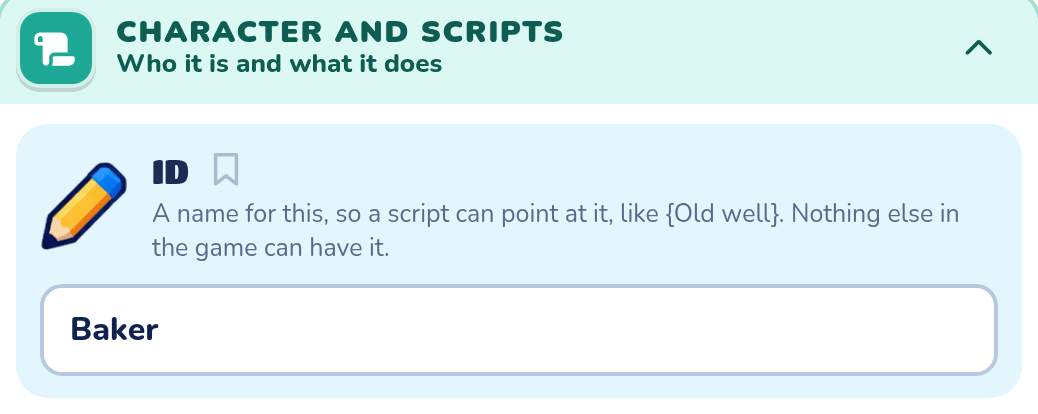
In an Adventure, the ID box is in the Character and scripts drawer. Here a villager is called Baker, so a level script can use when any {Heroes} talks to the {Baker}.
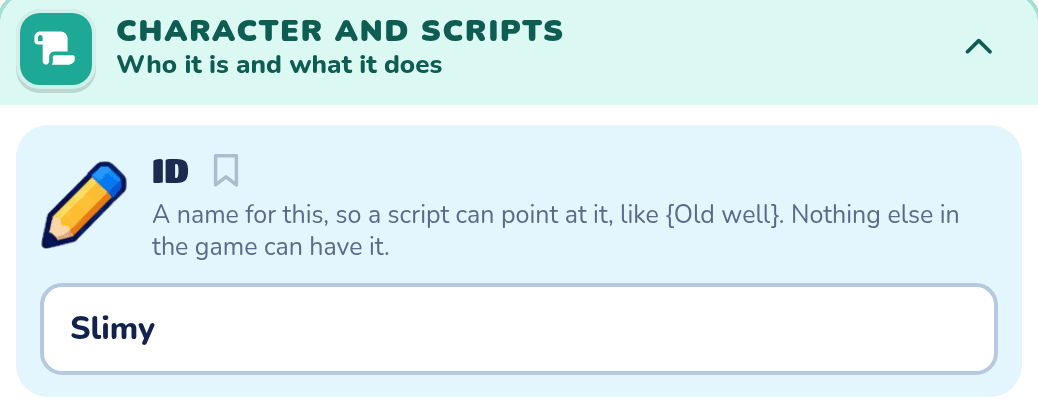
A Platformer enemy has the same box. This one is called Slimy, so a level script can use when {Slimy} is beaten.
| Thing | Where its ID comes from |
|---|---|
| Enemies, villagers, bosses, springs, flags and most other things | The ID box at the bottom of its Object settings. |
| Doors | Its Door name. A door already has an ID once it has a name. |
| Keys | Its Key name, so when any {Heroes} picks up the {Gold key} works on the key named Gold key. |
| The game | Always {Game}, whatever the game is called. |
| Levels and worlds | Each one's name, as in when any {Heroes} enters {Frozen Cave}. |
| Terrain blocks | In an Adventure, blocks picked together share one ID (see Blocks that share an ID). |
Levels and worlds
A level's or world's name is its ID, so it needs no ID box. Change the name in Level name, in Map settings. Here the level is called Frozen Cave, so the game script can use when any {Heroes} enters {Frozen Cave}.

The rules for an ID
| Rule | What it means |
|---|---|
| One thing, one ID | No two things can share an ID, and a thing can't share one with a level, a world or a family. |
| Big or small letters don't matter | {north door} and {North Door} are the same ID. |
| Spaces are fine | {Old well} works. Extra spaces don't count, so {Old well} is the same. |
| Up to 40 letters | Longer names are cut short. |
| No braces or commas | {, } and , can't be in an ID. A comma typed in the box turns into a space. |
| Not a name scripts use | Hero, Heroes, Enemies, Game, Boss and Me are scripts' own. {me} is this exact script owner, and {boss} is its whole boss. |
| Not starting with "trigger" | {trigger id} is the thing that sent a trigger, so no ID can start with trigger. |
Blocks that share an ID
In an Adventure, terrain blocks can have an ID too, and many blocks can share one. Pick all the blocks of a wall together with Select, then call them Rock wall. The whole wall is now {Rock wall}.
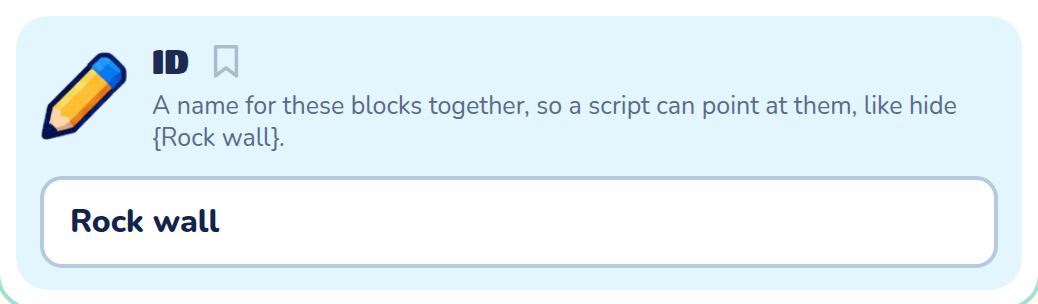
A script can then send the hero there with move the {Hero} to the {Rock wall}, or check if the {Hero} is near the {Rock wall}. Near means near any of its blocks.
Words that use an ID
Inside a character or block's own script, my id gives the ID entered by the kid as words. If it has no ID, the game supplies the same fallback used by trigger id. my internal id gives the stable level-qualified identity of that placed thing instead. Use {me} when you need the thing itself rather than words.

Most of these are for the game script and level scripts. A character's own script can't open doors or hide things.
A @variable that holds a thing can go where its ID goes in steps and checks, like open @door. It can't go in a when line. See Remembering things.
When lines
| When line | When it happens | Works in |
|---|---|---|
when the {Slime King} is beaten | The enemy or boss with this ID is beaten. | Both games |
when the {Slime King} gets hit | It takes a hit but isn't beaten yet. For an enemy's own script. | Platformer |
when any {Heroes} picks up the {Gold key} | The hero picks up the thing or key with this ID. | Both games |
when any {Heroes} opens the {North door} | The hero opens the door, lock or chest with this ID. | Both games |
when any {Heroes} talks to the {Baker} | The hero talks to the villager with this ID. | Adventure |
when any {Heroes} enters {Frozen Cave} | The hero comes into this level or world. For the game script. | Both games |
when any {Heroes} leaves {Frozen Cave} | The hero leaves it. For the game script. | Both games |
when any {Heroes} reaches the {Flag 2} | The hero reaches the checkpoint flag with this ID. | Platformer |
when any {Heroes} bounces on the {Big spring} | The hero bounces on the spring with this ID. | Platformer |
Steps
| Step | What it does | Works in |
|---|---|---|
open the {North door} | Opens the door, gate or lock, unlocking it first. It must be in the hero's level. | Both games |
close the {North door} | Shuts a castle door again. | Adventure |
lock the {North door} | Locks the door, gate or chest again. Only things with a lock in Object settings can be locked. | Both games |
unlock the {North door} | Takes the lock off, as its key would. | Both games |
hide the {Bridge} | Takes the thing out of play. It can't be seen, touched or walked on. | Both games |
bring back the {Bridge} | Puts a hidden thing back where it was. | Both games |
send home the {Baker} | The villager or enemy walks back to where it started. | Adventure |
move the {Hero} to the {Old well} | The screen fades, and the hero is put by the thing, in the hero's level. | Both games |
Checks
These go after if, or after when to make a rule happen each time the check comes true.
| Check | It's true when |
|---|---|
the {Hero} is near the {Old well} | The hero is within a few blocks of it. |
the {Hero} is within 5 blocks of the {Old well} | The hero is that close. |
the {Door} is near methe {Goblin} is near the {Door} | The two are within 3 blocks of each other. A character's own script can use these. See How near things are. |
the {Guard}'s row is 3my distance to the {Door} is under 5 | Where the thing is, or how far away. See Where a character is. |
the {North door} is locked | The door, gate or chest is locked. Also unlocked, open or closed. |
the {Hero} has the {Gold key} | The hero carries the key with this ID. |
the {Guard} @blocks is 5 | The character's own @blocks holds 5. See Another character's @variables. |
Bosses made of parts name each part with an ID too, like the {Big Flower}'s {left head}. See Bosses made of parts.
Examples
Game and level scripts has examples that use IDs: a gate that opens when the boss is beaten, a key that appears, a locked well, a baker who goes home, a welcome for each place, and checkpoints and springs.
Finding a thing from its ID
In the Character script window, an ID that names something in your game is a link to it. Following it opens the thing's level, and the builder's hero goes and stands beside it. The thing glows purple for a moment, so you can spot it on the map. Blocks that share an ID all glow together, and a key that a chest, villager or enemy holds glows on its holder. A level's or world's name opens that level at its start.
| In this view | To go to the thing |
|---|---|
| Code | Hold Ctrl (Cmd on a Mac) and click the ID. Or click inside the ID, and press the Go to button that shows under it. |
| Blocks | Press the round target button beside the ID. |
Known IDs have a dotted line under them. An ID that names nothing has no link, and a red note instead.
When an ID is wrong
An ID that names nothing in the game gets a red note under the script, and the line is skipped. When an ID is close to one that's there, the note offers it as a fix: Nothing in this game is called {Robo Gaurd}. Did you mean {Robo Guard}?.
A thing that's renamed keeps working only where its new name is used. If you rename North door to Front door, change {North door} in your scripts too.